Confirmation of Payee Check - Bulk Check
A confirmation of payee check, if enabled for your client, allows bank account and sort code details to be checked.
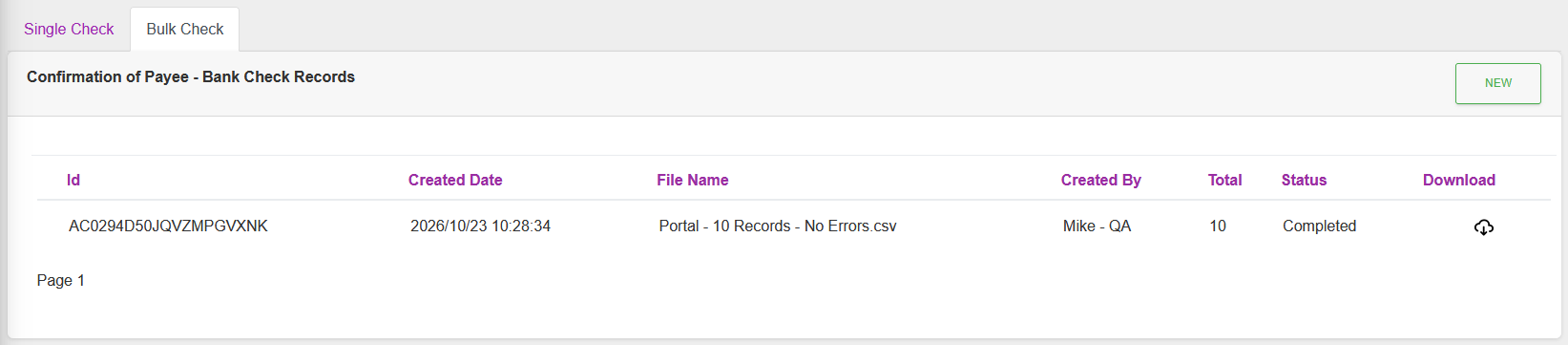
Actions
Available actions, subject to permissions, are:
| Action | Description |
|---|---|
| “Single Check” tab | Return to the Single Check page. |
| “NEW” Button | Make a new bulk account check Request. |
| Download icon | Download the completed report. |
CSV File
The column headers required for the CSV file are:
account_name,account_number,sort_code,account_type,client_reference_id,secondary_reference
| Column Name | Required Column | Required Value | Description |
|---|---|---|---|
| account_name | Yes | Yes | Account Name to be checked. |
| account_number | Yes | Yes | Account Number to be checked against. |
| sort_code | Yes | Yes | Sort Code to be checked against. |
| account_type | Yes | Yes | 1 - Personal Account, 2 - Business Account. |
| client_reference_id | Yes | No | Optional. Will be returned in the response. Can be used to match up request line with response line if unique in the file. |
| secondary_reference | Yes | No | Optional. Second Account Name, if required for the matching. |
Request
Click “New”.
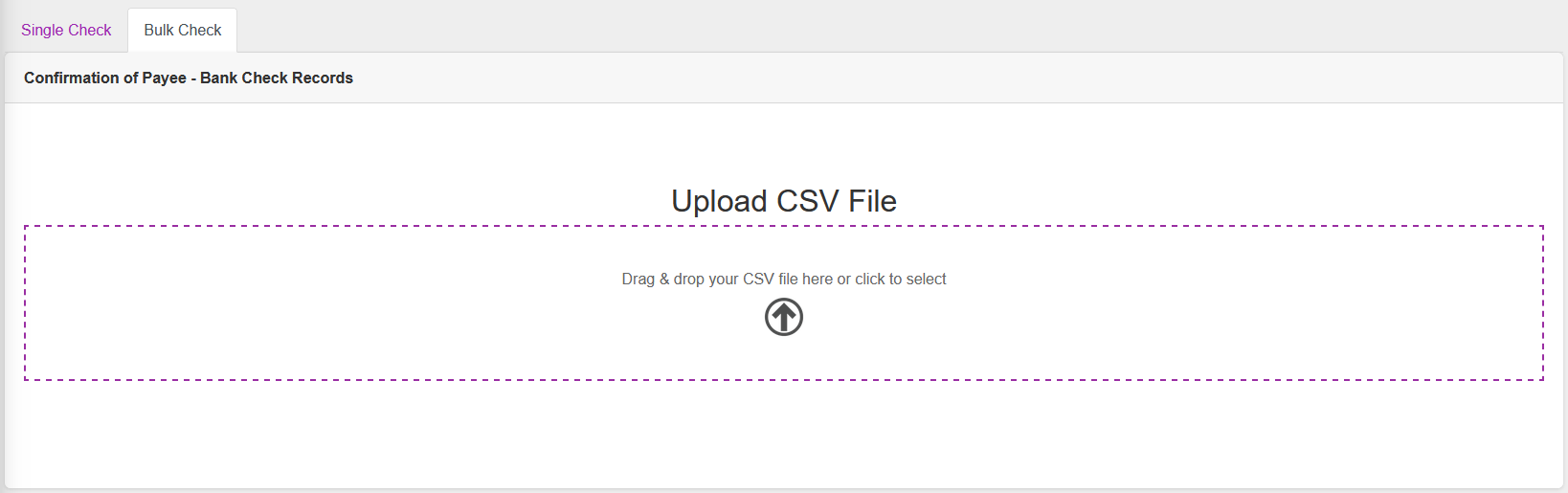
Select a .CSV file, or drag and drop a .CSV file to select it.
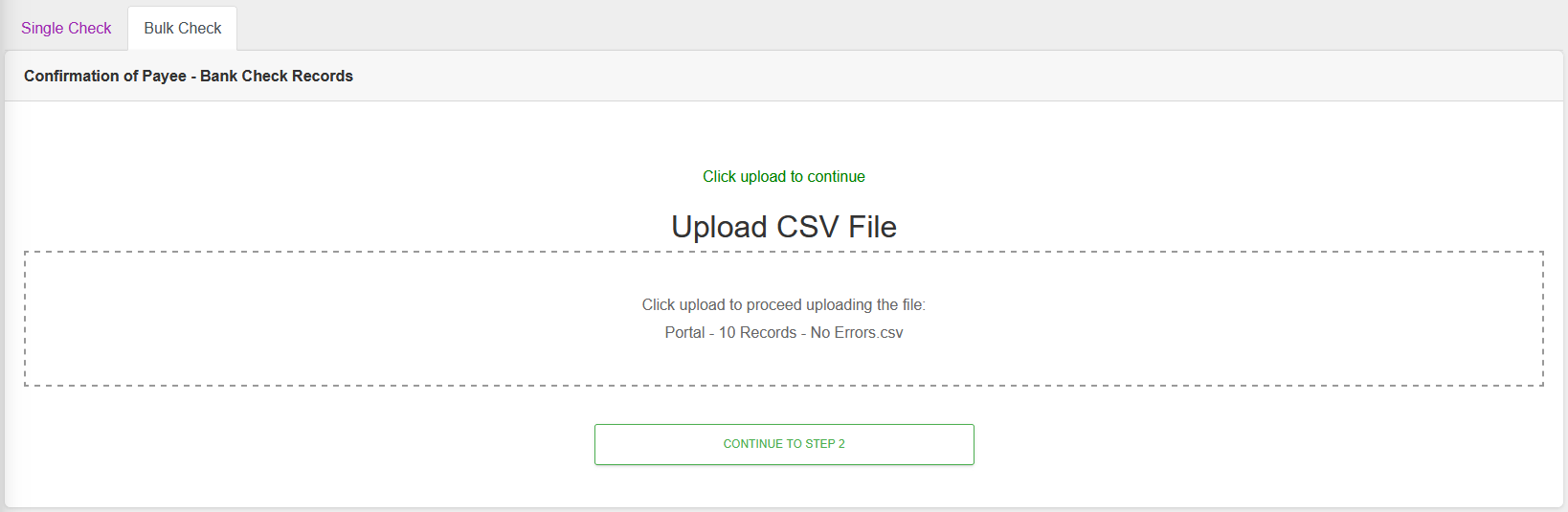
Click “CONTINUE TO STEP 2”
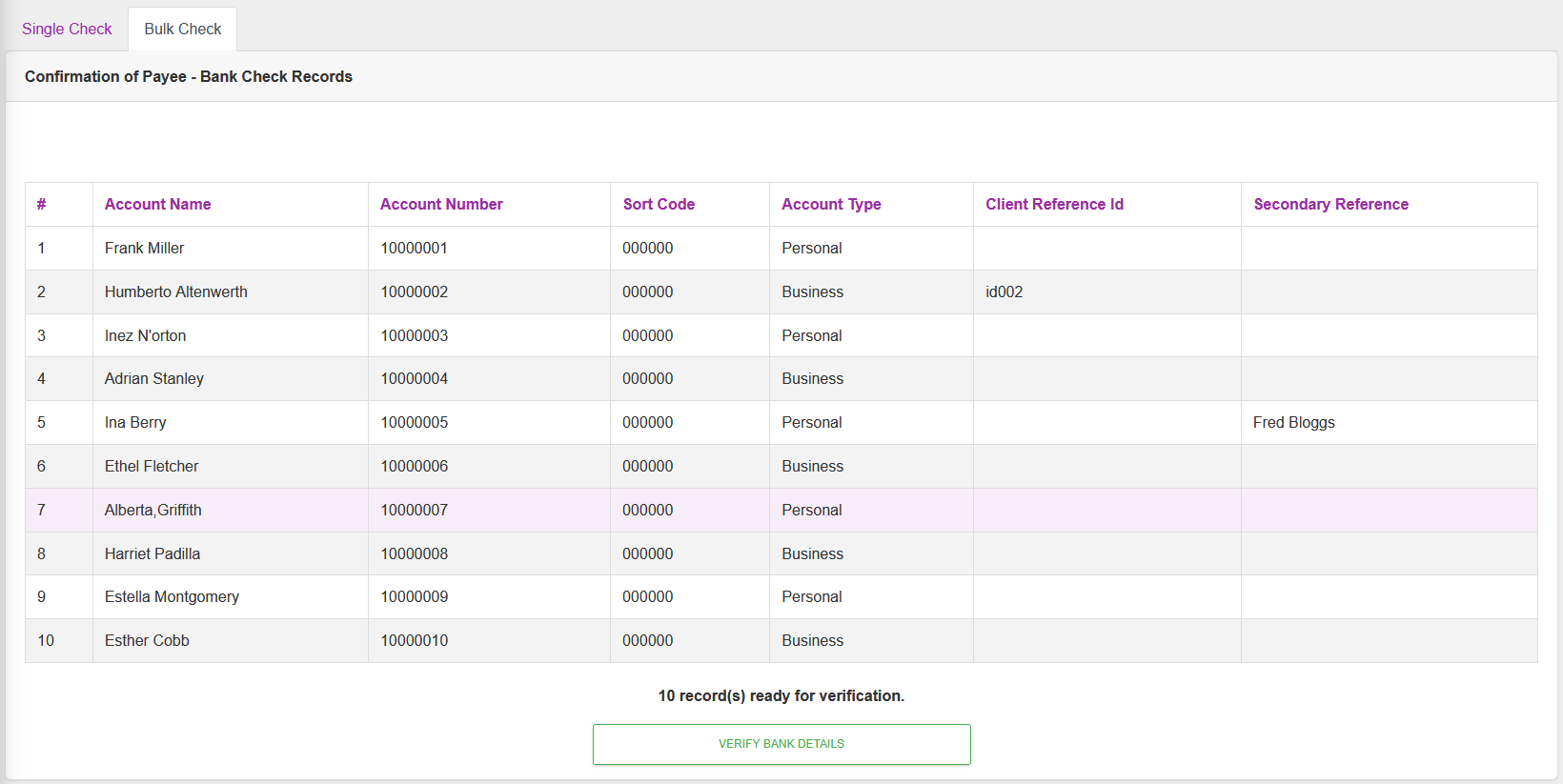
Click “VERIFY BANK DETAILS”

Either waiting, or clicking on “Bulk Check” will return you to the list.
Note: An email will only be sent out if there is an Email Subscription setup with the relevant events (“bank_account_check_bulk.update.completed”,“bank_account_check_bulk.update.failed”)