Confirmation of Payee Check
A confirmation of payee check, if enabled for your client, allows bank account and sort code details to be checked.
Request
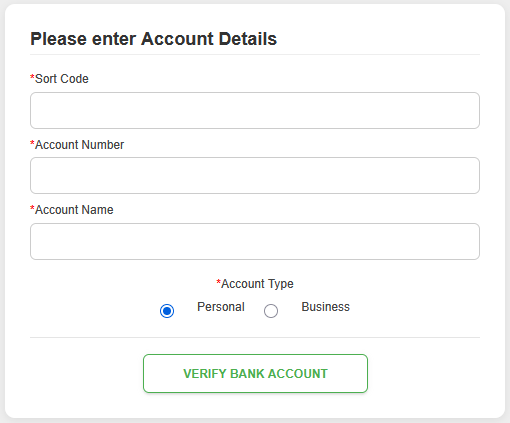
To conduct a confirmation of payee check, first enter the account details to be checked and then click on the “Verify Bank Account” button.
Fields
| Field | Mandatory | Type | Description |
|---|---|---|---|
| Sort Code | Yes | Text Box | Sort Code number to be checked. Can be in the format of “000000” or “00-00-00”. |
| Account Number | Yes | Text Box | Account Number to be checked. In the format of “00000000”. |
| Account Name | Yes | Text Box | Account Name to be checked. Maximum of 80 characters. |
| Account Type | Yes | Choice | Select either “Personal” (default) or “Business”. |
Successful Result
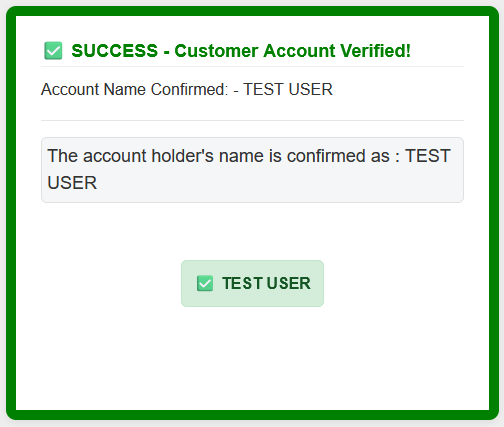
If the details match then the result will be successful.
Warning Result
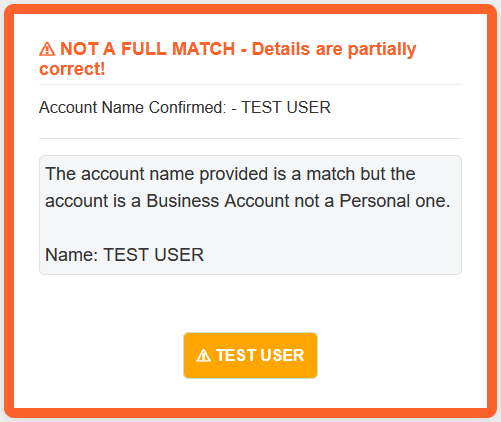
If there is something not quite right with details then the result will be a warning, with more information.
In this example the account number, sort code and account name are correct, but the account is a business account not a personal account.
Errored Result
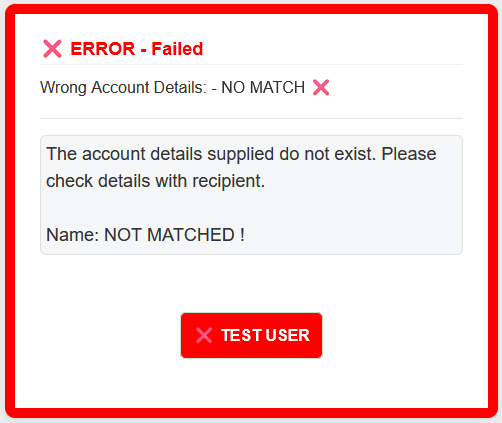
If there is something wrong with details then the result will be an error, with more information.
In this example the account details do not exist.