Payment Links
The SmarterPay for Salesforce package enables the generation of secure Payment Links directing customers to a customized ecommerce interface. This functionality is managed via the Payment Link Object, which synchronizes with the SmarterPay Cloud API to generate unique, secure URLs.
The system supports both single-use and multi-use links, fully integrated with Salesforce Flow and Apex Invocable Methods for automated workflows.
SmarterPay Cloud Setup
Prerequisites
- Ecommerce Branding: In SmarterPay Cloud navigate to System Settings > Ecommerce Branding. Create a new Ecommerce Branding V2 record. This defines the visual identity (logos, colors, and contact details) displayed to the end customer.Ordered List Item
- Ecommerce Page Setup: In SmarterPay Cloud navigate to System Settings > E-commerce Page Setup. Create a new Ecommerce Page Setup V2. Here, define the supported payment methods (e.g., Credit/Debit Card, Direct Debit, or both).
Salesforce Setup
SmarterPay Payment Link Page Setup
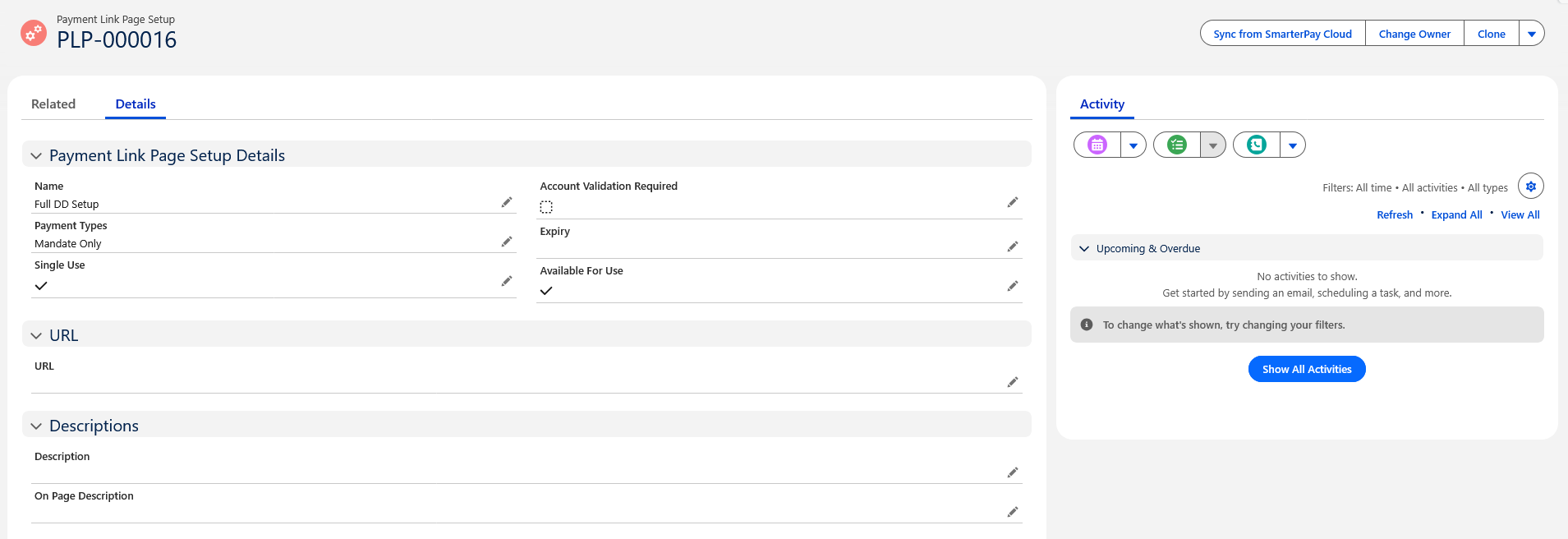
- Navigate to the Payment Link Page Setup Object.
- Select New.
- This will load a flow that takes in the SMPC Id from SmarterPay Cloud.
- Once a SMPC Id has been provided this will generate a Payment Link Page Setup in salesforce mirrored from SmarterPay Cloud.
Warning
The check box “Available for use” must be checked in order to view your Payment Link Page Setup during Payment Link creation.

Generating Payment Links
Once metadata is configured, links can be generated manually via the Payment Links object.
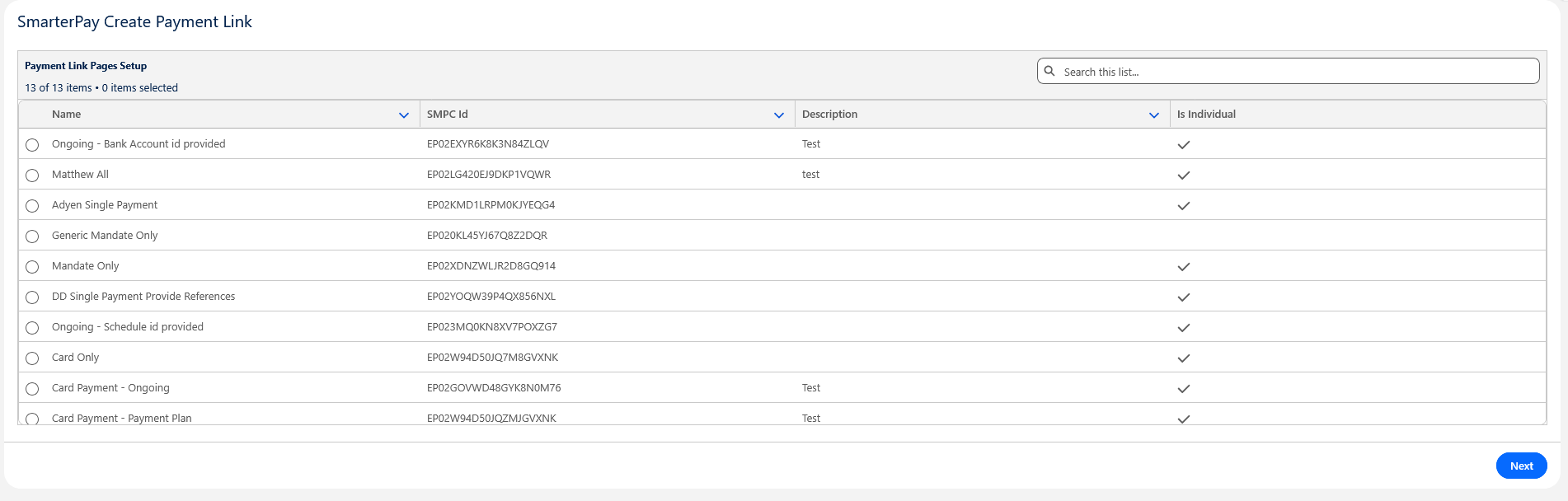
- Navigate to the Payment Links tab and click New.
- Selection: Choose the appropriate Payment Link Setup Page. The interface displays the Name, SMPC ID, Description and if it is Individual or not for verification.
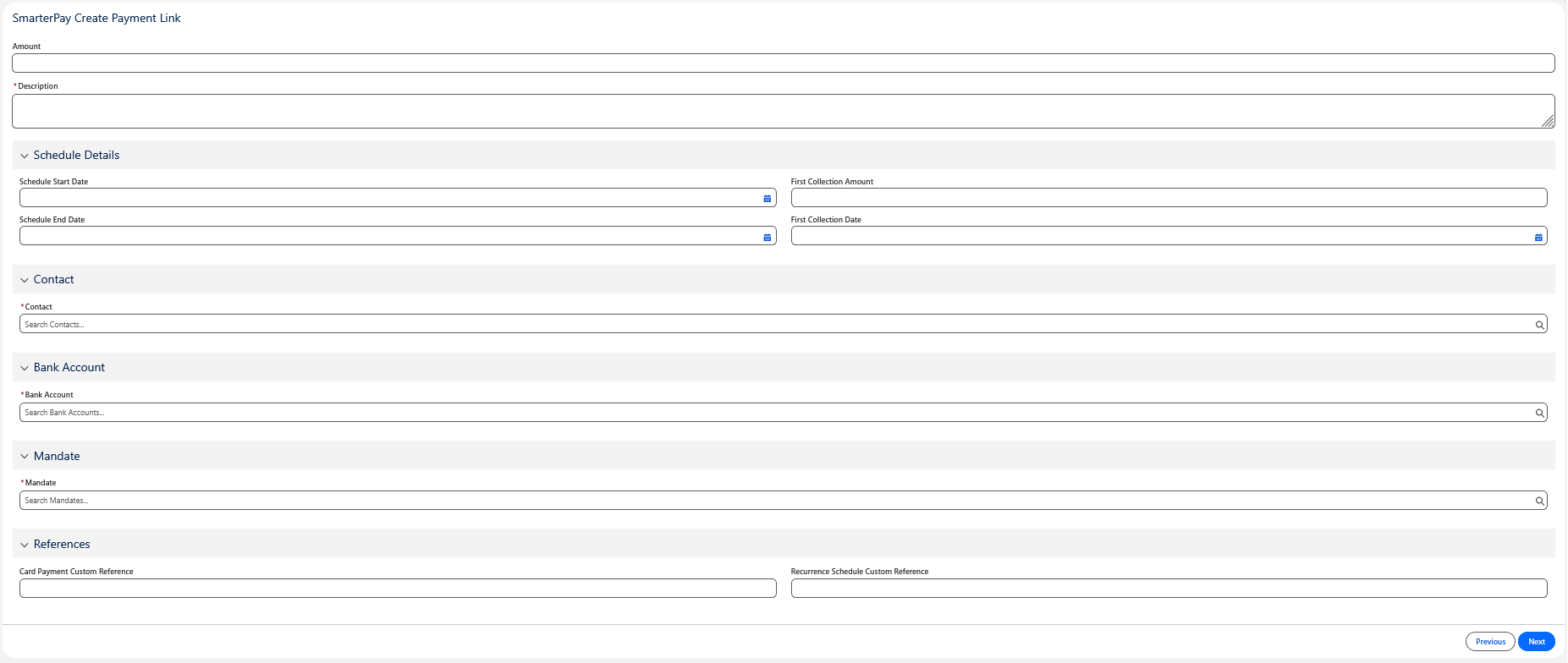
- Data Entry: Provide a description and relevant references. You may associate the link with a Contact, Bank Account, Mandate, or Recurrence Schedule as required by your business process.
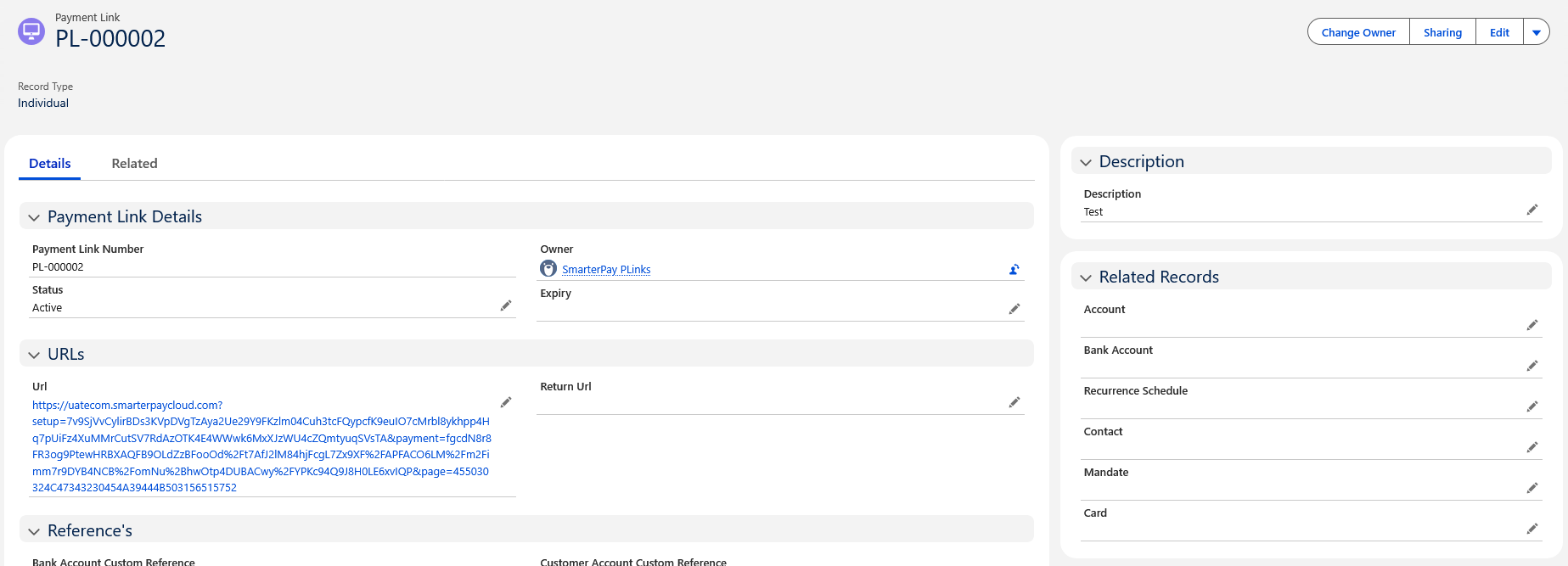
- Processing: Upon saving, the record synchronizes with SmarterPay. Once processed, the unique URL is appended to the record.
Automatted Emails
To enable automated payment link notifications, please activate the “SmarterPay Send Payment Link” flow.
Once activated the following will occur:-
- If a Contact is associated to a payment link, an automated email containing the link and branding will be dispatched to the customer.
- This email will be sent via the default workflow user but can be changed in the flow.
- Please ensure that the default workflow user's email is verifyied or this proccess may fail.
Warning
To install the package you must navigate to Setup > Lightning Email Templates and enable Folders and Enhanced Sharing.
Invocable Method
For developers and admins looking to automate link generation via Salesforce Flow or Apex, some Invocable Methods are available. These methods call the SmarterPay API programmatically and for the Payment Link Invocable Method it returns the generated URL and SMPC ID directly to your process and for the Payment Link Page Setup Invocable Method it returns all the information from the Ecommerce Page Setup on SmarterPay Cloud.
For technical specifications and parameters, please refer to:
Payment Link Invocable Method
Payment Link Page Setup Invocable Method