Edit View
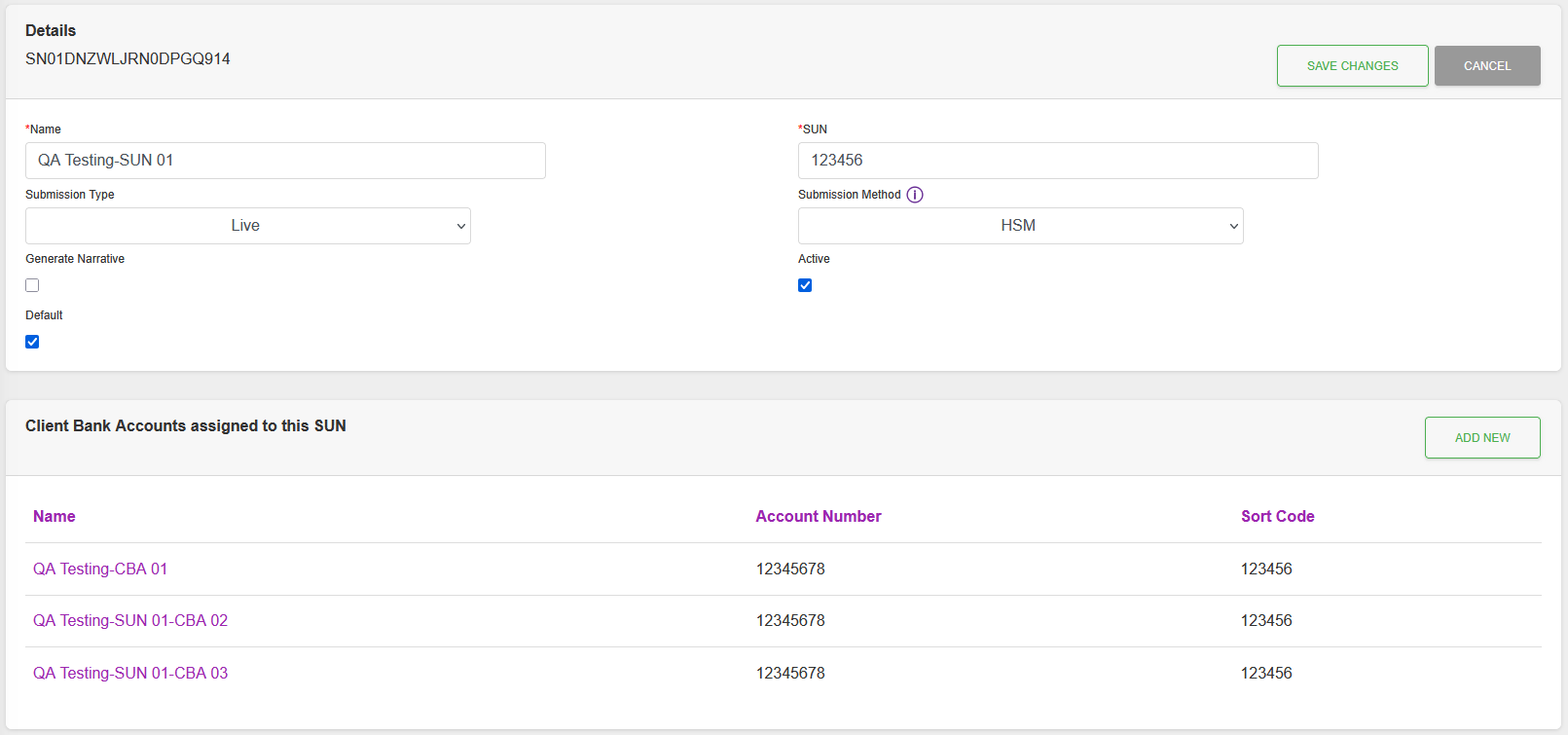
Fields
| Field | Mandatory | Type | Description |
|---|---|---|---|
| Name | Yes | Text Box | Service User Number (SUN) Name. |
| SUN | Yes | Text Box | SUN Number. |
| Submission Type | Yes | Dropdown | Type of submission. Options: “Live”, “Structural Test”, “Full Test”. |
| Submission Method | Yes | Dropdown | Method for submission approval. Options: “Card Signature”, “HSM”. |
| Generate Narrative | No | Checkbox | When checked will use the Submission serial as the Default Originating Account Narrative. |
| Active | No | Checkbox | Active SUN. |
| Default | No | Checkbox | Default SUN. |
| Payment files must be signed | No | Checkbox | Enforces that files need signing as well as submissions. Only available when Submission Method is “Card Signature”. |
Actions
Available actions, subject to permissions, are:
| Action | Description | |
|---|---|---|
| “Save Changes” Button | Saves changes and returns to the Detail View of the record. | |
| “Cancel” Button | Cancels any changes and returns to the Detail View of the record. | |
| “Add New” Button | Add a New Client Bank Account record. |