Edit View
System Settings

Settings, subject to permissions, are:
Fields
| Field | Mandatory | Type | Description |
|---|---|---|---|
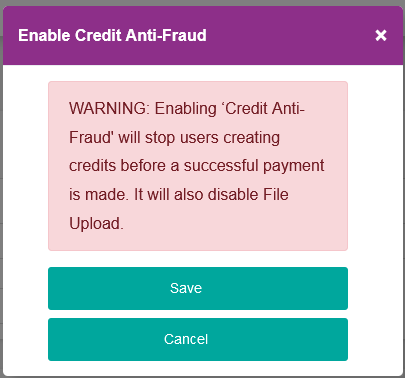
| Credit Anti-Fraud Enabled | N/A | Dropdown | This value enables, or disables, Credit Anti-Fraud. Options are: “False” (Default),“True”. Note: Setting this value to “True” will prevent a Credit being created on a Bank Account that hasn't had a successful payment taken from it. Setting to “True” will also disable the file upload functionality. When the value is changed from “False” to “True” and the “SAVE” button is clicked a confirmation dialogue box will be displayed
|
| Mandate Dormancy Enabled | N/A | Dropdown | This value enables, or disables, Mandate Dormancy. Options are: “False” (Default),“True”. Note: Setting this value to “True” will enable the Mandate Dormancy process - Once a day any Mandates that have had no activity (DD Payments) for the “Mandate Dormancy Period” will be Cancelled. |
| Suppress Events for Mandate Dormancy | N/A | Dropdown | If Mandate Dormancy is enabled, can be set. Options are: “False” (Default),“True”. Note: Setting this value to “True” will prevent events (Emails and Webhooks) from being send out for the Mandate Records cancelled as part of the Mandate Dormancy process. |
| Mandate Dormancy Period | N/A | Read Only | Set by default to 24 Months. |
Actions
Available actions, subject to permissions, are:
| Action | Description |
|---|---|
| “CLOSE” Button | Ignores any changes and returns back to System Settings. |
| “SAVE” Button | Saves any changes and returns back to System Settings. |