Synchronise Reports
Clicking the “SYNC” Button will open the Reports Filters dialogue box.
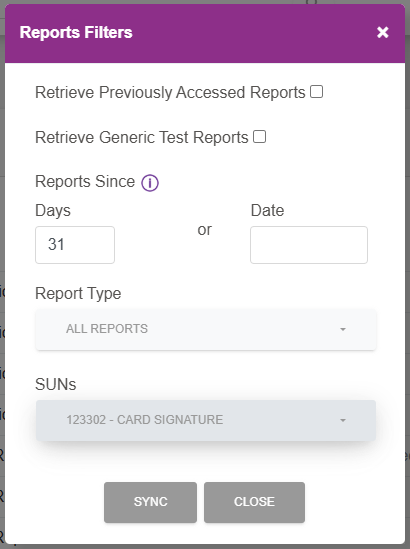
By default the filter is for all reports, for all SUNs, that haven't previously been accessed for the last 31 days.
If the filter needs to be changed the following options are available:
- Retrieve Previously Accessed Reports - If selected will include previously accessed reports.
- Retrieve Generic Test Reports - If selected will include test reports.
- Reports Since
- Days - Can be changed from 0-31 days.
- Date - A date can be selected, and will override the number of days value.
- Report Type - One report type can be selected, for example DDICA or ARUCS.
- SUNs - One, or more if available, SUNs can be selected.
Once the filter is set, as required, click “SYNC” to continue.
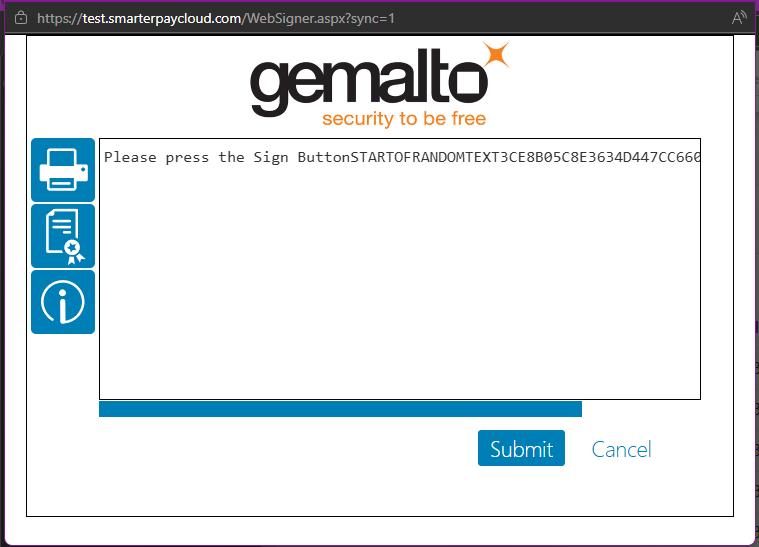
The Websigner dialogue will be displayed. Click “Submit”, and follow the instructions to enter the pin for the card being used.
These details will be used to log in to Bacs and look for reports based on the filter set previously.
Once complete, the user will be logged out of Bacs and summary dialogue is shown.
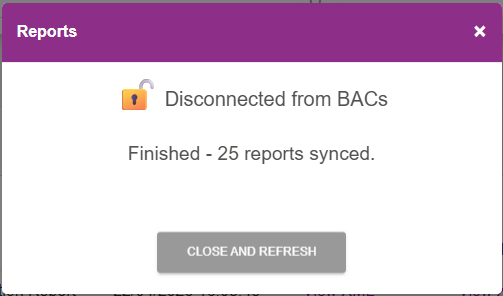
Click “CLOSE and REFRESH” to close the dialogue and refresh the Reports list.