Edit View
Uploaded files can be edited, to remove lines, before being approved.
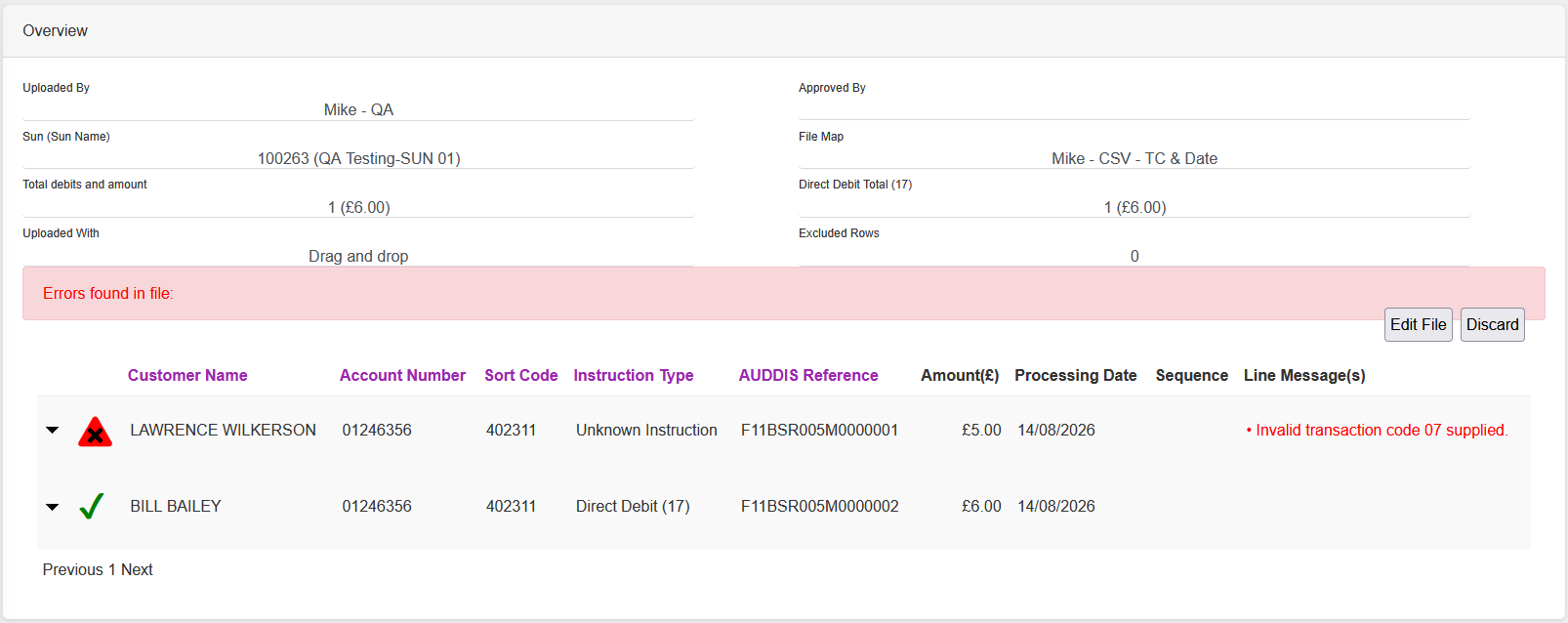
In this example there is a file with a line that contains an invalid transaction code.
Click “Edit File”.
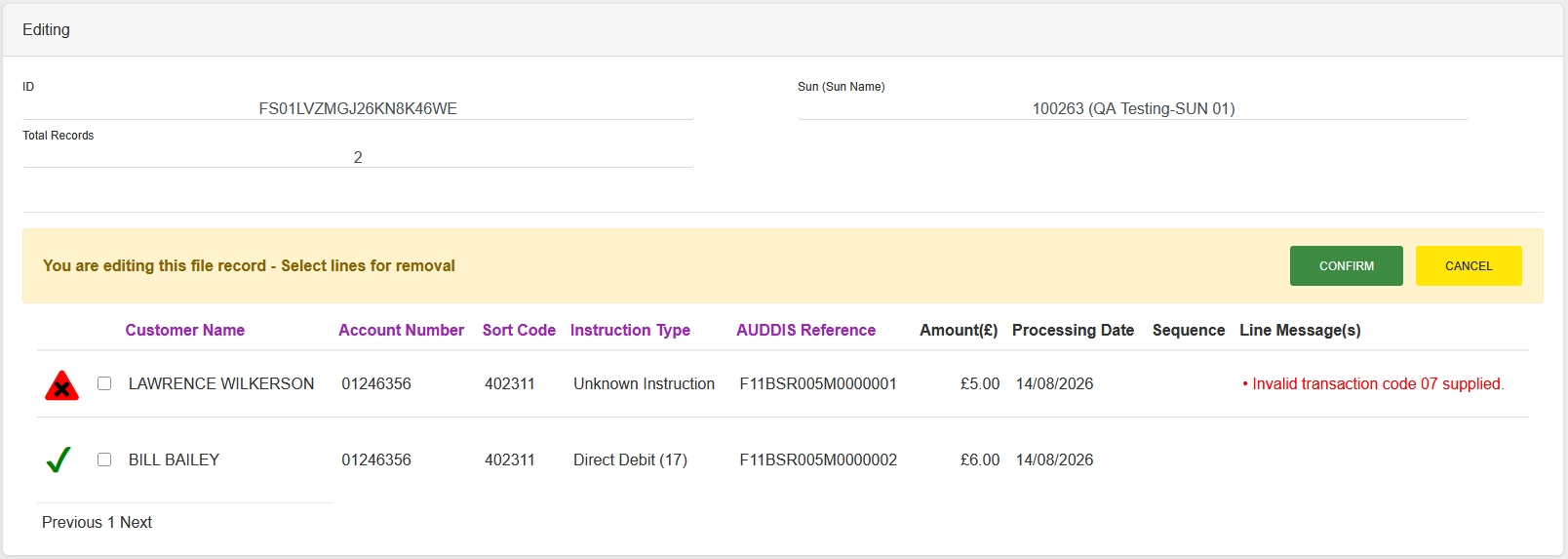
You are now in the Edit View for the file. The header changes to show basics of the file, such as the number of records.
Note: Clicking “CANCEL” will exit from edit mode.
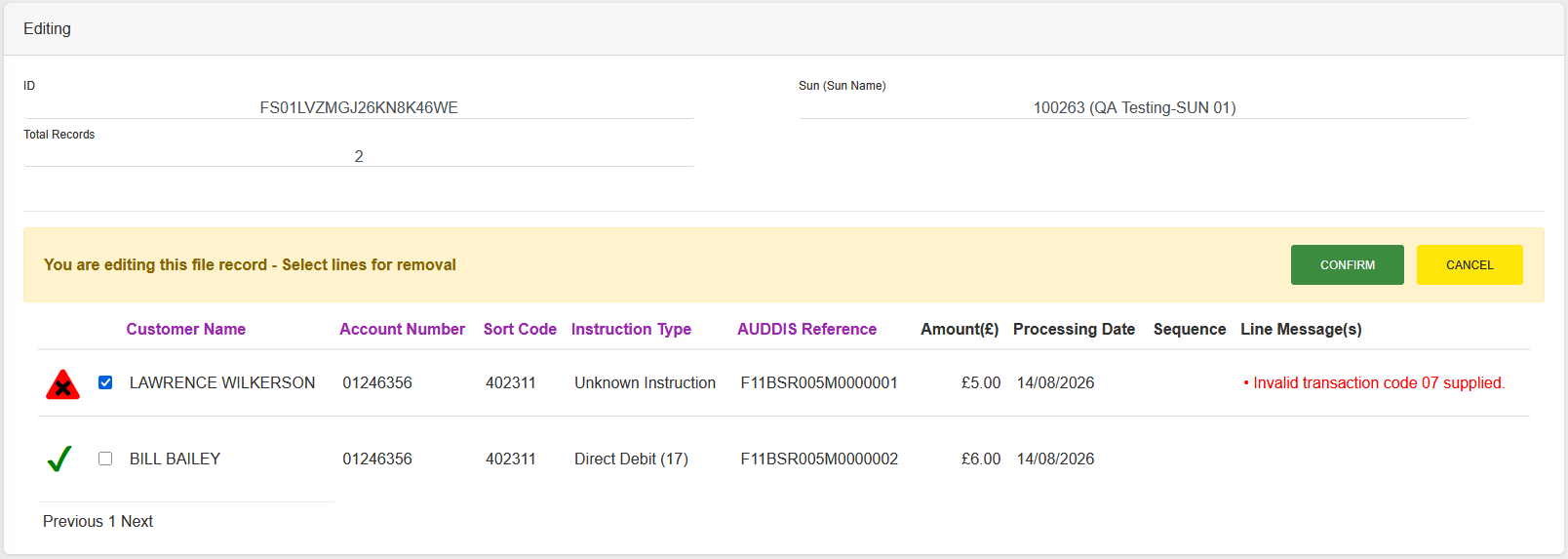
Click on the line that you want to remove, you will see the check box shows that it has been selected.
Note: Lines can be selected across pages, if required.
Once all the relevant lines have been selected click “CONFIRM” - a confirmation dialogue box is displayed.
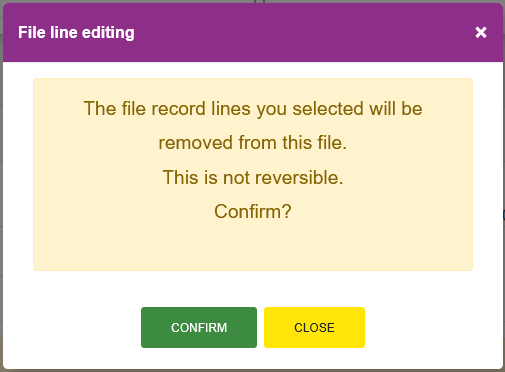
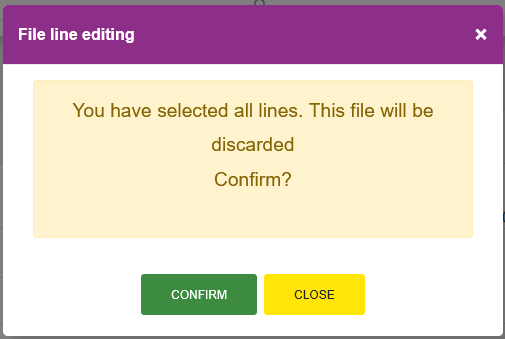
Note: If you have selected all of the lines in a file the file will be discarded instead of just removing the lines - the confirmation dialogue will tell you what the system will do.
Click “CONFIRM” to remove the lines or discard the file, or click “CLOSE” to keep the lines or file.
If “CONFIRM” has been clicked the selected lines are removed and the page refreshes.
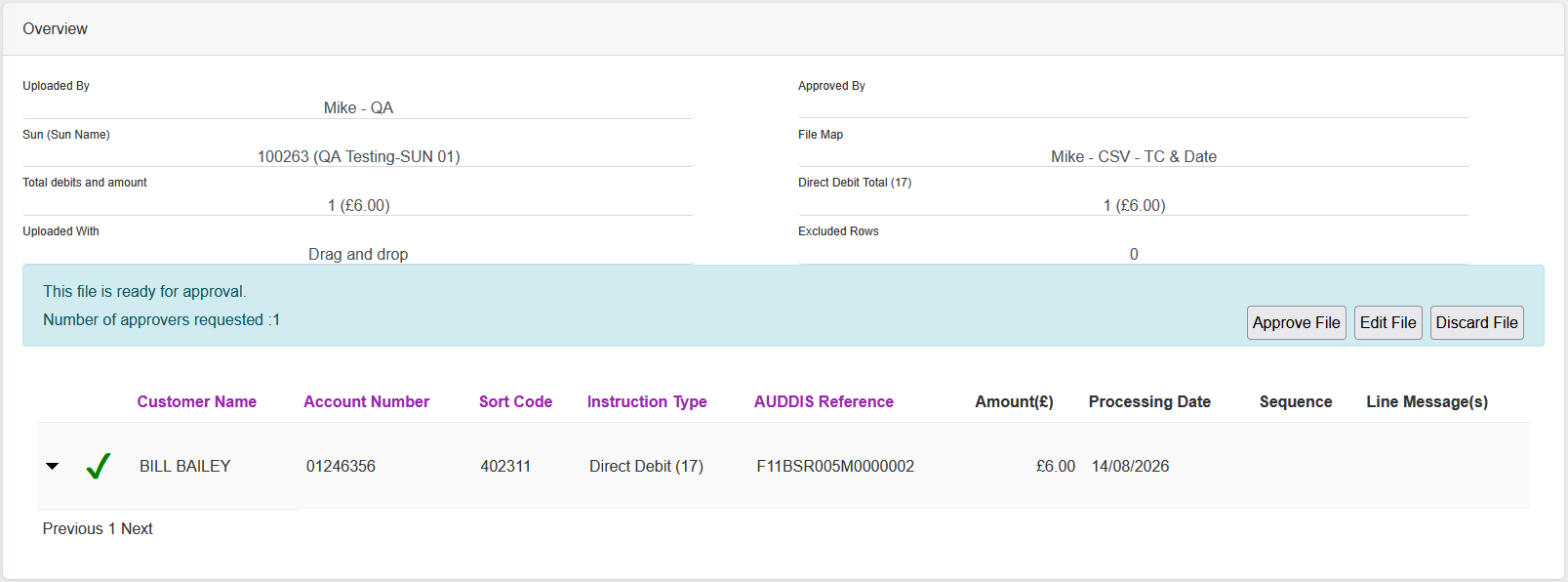
The file can now be Approved, Edited or Discarded.